 Occazora
Pooja · Satyanarayana vratam · Festival gatherings
Pooja invitations that families answer in one tap
Send a private invitation to each family on WhatsApp. They reply with how many are coming, see the pooja and prasadam times, and know exactly where to park.

How it works
Name your celebration
Tap Start my celebration, choose the occasion and its picture, and add the date, time, and address.
Add your families
Type each family, or paste your whole list from Excel or Google Sheets.
Send the private links
Tap Send next, and WhatsApp opens with that family’s invitation, ready to send.
Watch the replies come in
See who is coming and how many, answer questions, and thank everyone after the day.
Keep them for the next celebration
Save the families in your guest book. Next time, add Relatives, Friends, or everyone in one tap. Each family gets a new private link.
What hosts use it for
Times for the pooja and prasadam
Put the vratam, aarti, and lunch on the invitation in order.
Know how much prasadam to make
Replies include adults and children, so the kitchen plans for the right number.
Parking at home or a temple hall
Guests see the address, open it in maps, and see where to park.
A simple local gathering
Choose a local gathering, and flights, hotels, and airport cars stay out of the way.
What guests and hosts see
Each family opens a private link on WhatsApp—not a group chat. Screens below match Pooja (sample layouts; your date, address, and family names are yours).
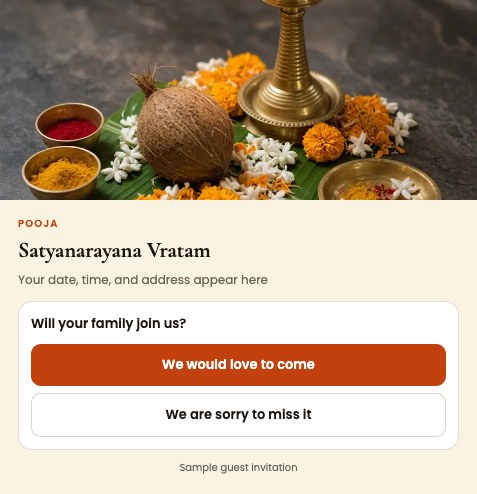
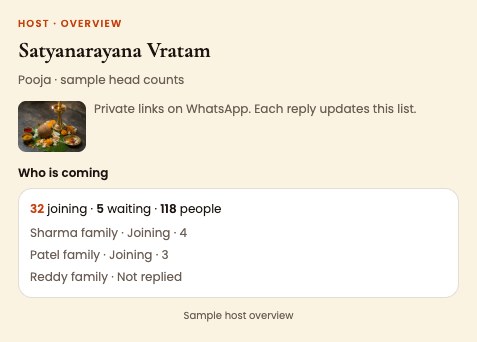
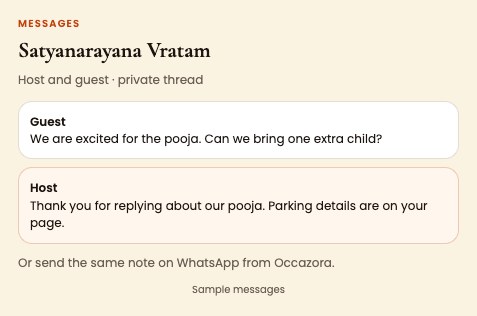
Try the sample event on your phone before you invite anyone.
Questions
Is it worth it for 20 families?
Yes. It takes a few minutes to set up, and you skip the calls asking who is coming.
Can people reply that they cannot come?
Yes. They tap We are sorry to miss it, and you see it on your list.
What does it cost?
A small pooja runs on the free plan.
Ready when you are
Free to start. Your guest list stays private to your family.